
GUIDE
11 MIN READ
Someone visits your website, looks at a product, reads a service page, or watches part of a video, then leaves without buying, booking, or filling out a form. That’s simply where most people are in their decision process. Facebook Ads retargeting (sometimes called remarketing) gives a business a way to reconnect with that same person through relevant ads on Facebook and Instagram, instead of relying entirely on them to come back on their own.
Retargeting doesn’t automatically produce more sales or leads. It keeps a business in front of people who already have some familiarity with it, a lower bar than introducing the brand to a cold audience for the first time. For a small business with a limited budget, it’s often easier to bring back someone who already looked at a product than to convince a stranger to do the same thing.
This guide covers what retargeting is, how it works, what you need before building a campaign, and a step-by-step setup process covering audiences, exclusions, budgeting, creative, and measurement, written for small business owners rather than advanced paid media specialists.
What Is Facebook Ads Retargeting?
Facebook Ads retargeting means showing ads to people who have already interacted with your business or its digital properties, rather than people who have never encountered your brand. These audiences are typically built from past actions: a page visit, a product view, a video watched, a form started, or a previous purchase.
Depending on your account setup, people commonly retargeted include website visitors overall or to specific pages, people who viewed a particular product, people who engaged with your Facebook or Instagram content, video viewers segmented by how much they watched, people who started but didn’t finish an action such as a cart checkout, and existing customers for repeat purchase or cross-sell campaigns.
The specific audience types, tracking methods, and targeting options can change over time, due to both platform updates and evolving privacy requirements. The general concept has stayed consistent, but the exact mechanics are worth checking against current Meta documentation before building a campaign.
How Facebook Retargeting Works
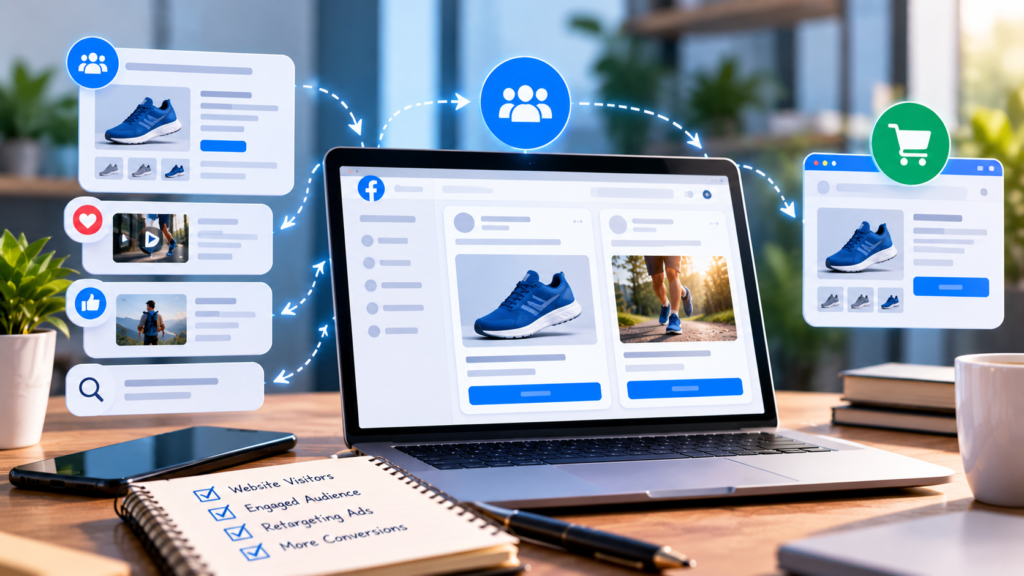
At a basic level, retargeting follows a simple flow: interaction, audience collection, audience qualification, ad delivery, and potentially conversion.
- A potential customer interacts with your business, such as visiting your website or watching a video.
- That interaction can contribute to an eligible audience, depending on your tracking setup.
- Once the person meets the conditions you’ve set, such as “visited the product page in the last 14 days,” they join that audience.
- Meta can potentially show them a relevant ad, subject to normal delivery factors like budget, competition, and platform policies.
- The person returns and completes the action you were hoping for.
This isn’t guaranteed. Not everyone who interacts with your business will necessarily be reachable through advertising, whether due to inactivity on Meta platforms, ad preferences that limit targeting, or normal delivery variability. Retargeting improves the odds of reconnecting with past visitors; it doesn’t reach every one of them.
Why Retargeting Can Be Useful for Small Businesses
Retargeting tends to work alongside, not instead of, a broader paid media strategy. A few reasons small businesses commonly use it:
- Reconnecting with people who already know you, who have more context than a first-time viewer
- Supporting longer purchase journeys, since considered products often take multiple visits
- Addressing abandoned actions, where someone who added to cart or started a form may just need a reminder
- Reinforcing brand familiarity through repeated, relevant exposure
- Promoting complementary products to a customer who already bought something related
- Encouraging return visits from people who simply forgot to come back
- Supporting lead generation by bringing back service-page visitors who didn’t inquire
It generally works best alongside prospecting, which reaches new people who haven’t interacted with the business yet. Relying on retargeting alone limits new customer growth, since the audience is inherently people who already know the brand.
What You Need Before Setting Up Facebook Retargeting
1. A Meta Business Setup
Running ads generally requires a Meta Business account connected to the relevant ad account, Facebook Page, and, if applicable, Instagram profile. Exact requirements depend on your business type, so confirm current steps in Meta’s business documentation.
2. A Website or Other Audience Source
Your strategy depends on where the interactions happen: a website-driven business centers audiences on website visits and on-site actions, while one engaging mainly on social content relies more on video views and content engagement.
3. Appropriate Tracking
This can involve the Meta Pixel, described by Meta as “a snippet of JavaScript code that allows you to track visitor activity on your website” (Meta for Developers: Meta Pixel ↗), the Conversions API, which connects marketing data from a server, website platform, app, or CRM to Meta’s systems to support targeting and measurement (Meta for Developers: Conversions API ↗), and standard or custom events. Not every business needs every method; the right combination depends on your platform and resources.
4. A Defined Conversion Goal
Decide what outcome you want, a purchase, lead, booking, contact request, signup, or quote request, before building anything else. This shapes which audience makes sense and what the creative should say.
Facebook Ads Retargeting Setup: Step-by-Step
Step 1: Define Your Retargeting Goal
Start with the business outcome, not the audience or creative. Common goals include recovering abandoned purchases, generating leads from visitors who didn’t convert, re-engaging past visitors generally, promoting a complementary product to existing customers, or encouraging repeat purchases. The goal should determine the audience and messaging that follow, not the other way around.
Step 2: Choose Your Retargeting Audience
Meta’s Custom Audiences feature lets advertisers build audiences by “segmenting your website visitors into groups based on the actions they have taken on your website” (Meta for Developers: Custom Audiences ↗). Sources can include all website visitors, visitors to specific pages, product viewers who didn’t purchase, people who engaged with social content or video, lead-form submitters, customer lists where supported, and existing purchasers. The right source should reflect your Step 1 goal: recovering abandoned purchases needs a very different audience than reinforcing familiarity with recent visitors.
Step 3: Set the Audience Retention Window
Audience duration is how long someone stays in an audience after their interaction. A short window, such as a few days, suits high-intent actions like cart abandonment; a longer window, sometimes several weeks, can suit longer buying cycles. Someone who visited yesterday is in a different mindset than someone who visited three weeks ago, which is why one audience and message for every visitor can underperform more specific segmentation. There’s no universally correct period; it depends on your purchase cycle and your own data.
Step 4: Create Audience Exclusions
Exclusions stop a campaign from showing the wrong message to the wrong person: excluding recent purchasers from acquisition ads, excluding lead-form submitters from lead-generation ads, and excluding anyone who already completed the action the campaign is driving toward. If repeat purchases matter to your business, build a separate audience for existing customers rather than excluding them from everything. Without exclusions, a business can end up paying to show “come back and buy” messaging to someone who already bought, which wastes budget and looks inattentive.
Step 5: Choose the Campaign Objective
Campaign objective should align with the outcome from Step 1, whether that’s sales, leads, or, in some cases, traffic. No single objective is universally right; it depends on what you’re optimizing for and what data your account has. Meta’s available objectives and setup flow have changed over time and can keep changing, so check your current Ads Manager interface and documentation rather than assuming an old workflow still applies.
Step 6: Create Retargeting Ad Creative
Retargeting creative should acknowledge, directly or indirectly, that the person already interacted with your business, without becoming repetitive or intrusive. Effective angles include a product reminder, a benefit-focused message beyond what they already saw, a testimonial, content addressing a likely objection, a genuine limited-time offer, social proof, educational content, a product comparison, or a reminder to finish an unfinished action. Avoid manufactured urgency: a countdown or “only 2 left” message that isn’t accurate can damage trust, especially with an audience that may notice the same offer reappearing indefinitely.
Step 7: Set a Practical Budget
Retargeting budgets should account for audience size, expected frequency, campaign duration, your business economics, and typical conversion value. There’s no universal dollar or currency benchmark across markets and industries, so this guide won’t present one without verified, market-specific data. One practical point: small audiences can saturate quickly, with the same group seeing your ad far more often than intended, so budget should be set alongside audience size and frequency, not as a flat number.
Step 8: Review Placements and Delivery Settings
Ads can appear across placements including Facebook feed, Instagram feed and Stories, and Audience Network, depending on settings and campaign type. Rather than manually restricting placements by default, it’s more useful to understand where ads are running and whether that aligns with your objective. Adjust placements based on your own account’s performance data, not a blanket assumption that fewer placements always perform better.
Step 9: Launch and Monitor
Before launching, run through a short checklist: audience size, tracking, conversion event, exclusions, creative, landing page, budget, and campaign status. Once live, resist making major changes within the first day or two; campaigns typically need enough impressions and clicks before performance can be meaningfully evaluated, and changing things too early can reset the learning process.
Simple Facebook Retargeting Campaign Examples
These are illustrative, not a guaranteed formula for results.
E-commerce Example
Someone views a product but doesn’t purchase.
Audience: Recent product viewers who didn’t purchase
Message: Benefits, reviews, or a relevant incentive
Landing page: The product page viewed
Local Service Business Example
Someone visits a service page but doesn’t submit a lead form.
Audience: Recent visitors to that service page
Message: Benefits, trust signals, or an answered common question
Call to action: Request a consultation or quote
B2B Example
Someone visits a solutions page but doesn’t reach out.
Audience: Relevant visitors to that page
Message: Educational content, a case study, or proof points
Call to action: Learn more or schedule a conversation
What Should Your Facebook Retargeting Ads Say?
The right message depends on where someone likely is in their decision process when they entered the audience.
| Audience | Likely Situation | Possible Message |
|---|---|---|
| Recent visitor | Still researching | Explain benefits and what sets you apart |
| Product viewer | Considering a purchase | Reinforce product value with proof points |
| Cart or checkout visitor | High purchase intent | Address likely friction or unanswered questions |
| Lead-page visitor | Considering an inquiry | Provide trust signals and a clear next step |
| Existing customer | Already converted | Introduce a relevant next purchase or service |
Treat this as a starting point for message direction, not a fixed script.
Facebook Retargeting Checklist
Before Launch
- Define the conversion goal
- Confirm tracking is working correctly
- Select the appropriate audience source
- Set the audience duration
- Create relevant exclusions
- Prepare retargeting creative
- Confirm the landing page is ready
- Set an appropriate budget
- Review all campaign settings
After Launch
- Check ad delivery
- Monitor frequency
- Review clicks and conversions
- Check cost per result
- Review creative performance
- Watch for signs of audience saturation
- Compare results against your original business goals
- Refresh creative when performance declines
This describes general practice rather than specific platform settings, since exact labels inside Meta’s ad tools can change.
How to Measure Facebook Retargeting Performance
Success should be measured against the business objective from Step 1, not a single metric in isolation. Relevant measures include impressions, reach, frequency, click-through rate, cost per click, conversion rate, cost per result, conversion value, return on ad spend (ROAS) where applicable, lead quality, and, where you can connect the data, downstream revenue or pipeline value.
Attribution, connecting a conversion back to the ad that influenced it, is rarely perfect. Platform-reported results are a useful signal, but worth interpreting alongside your own sales records or CRM data rather than treated as the single source of truth.
Common Facebook Retargeting Mistakes
Retargeting everyone with the same ad. A generic ad to your entire audience tends to be less relevant than segmenting by behavior and matching the message.
Forgetting exclusions. Showing acquisition ads to people who already completed that action wastes budget and looks inattentive.
Using audiences that are too small. A very small audience can struggle to deliver consistently and may reach the same people repeatedly.
Setting the budget too high for the audience. When budget exceeds what a small audience can absorb, frequency climbs quickly, leading to fatigue and diminishing returns.
Ignoring creative fatigue. The same ad shown too long tends to lose effectiveness as people become less responsive to it.
Optimizing for clicks instead of business outcomes. A high click-through rate doesn’t by itself indicate success; clicks that don’t convert don’t prove a campaign is working.
Launching without reliable conversion tracking. If tracking isn’t accurate, it’s difficult to know what’s actually driving results, making every later optimization decision less reliable.
How Long Should You Run Facebook Retargeting Ads?
There’s no single correct duration; it depends on your purchase cycle, audience size, price point, service complexity, traffic volume, conversion rate, ad frequency, and available creative variety.
It’s worth distinguishing audience retention duration, how long someone stays eligible to see ads after their interaction, from campaign duration, how long the campaign runs. A campaign can run for months on a short retention window, refreshing which people are included as new visitors arrive and older ones age out.
Facebook Retargeting vs. Prospecting
| Factor | Retargeting | Prospecting |
|---|---|---|
| Audience | People with previous interactions | New potential customers |
| Familiarity | Higher | Lower |
| Typical message | Reinforcement and conversion-focused | Introduction and discovery-focused |
| Audience size | Usually smaller | Usually larger |
| Creative approach | Contextual and reminder-based | Educational or awareness-focused |
| Main role | Re-engagement | New customer acquisition |
Neither approach is universally superior; they serve different purposes within the same paid social strategy. Prospecting brings in new people, and retargeting helps convert the portion that didn’t act the first time. Most small businesses use some combination of both.
When Should a Small Business Get Professional Facebook Ads Help?
Professional support can be useful when tracking is difficult to configure, campaign structure has grown more complicated than the team can manage, multiple audience segments need ongoing coordination, creative testing needs more attention than you can give it, frequency is becoming hard to control, data isn’t translating into clear next steps, or the business is scaling paid social beyond a single simple campaign.
Serpistan’s paid social and PPC management services cover Facebook and Instagram ad campaigns, including retargeting setup, audience planning, creative testing, tracking implementation, and ongoing optimization. This isn’t a promise of a specific conversion lift, cost reduction, or ROAS target; results depend on your industry, offer, and existing data, and any serious paid social partner should be upfront about that rather than guaranteeing outcomes.
If social media management and content, rather than paid retargeting specifically, is the more immediate need, Serpistan’s social media marketing services cover that separately. Serpistan’s case studies and broader digital marketing services page provide more context on how these fit together.
Frequently Asked Questions
What is Facebook Ads retargeting?
Facebook Ads retargeting is the practice of showing ads to people who have already interacted with your business, such as visiting your website or engaging with your content, rather than to people who haven’t encountered your brand before.
How do I set up Facebook retargeting?
Confirm tracking is working, choose an audience source based on your conversion goal, set a retention window, create exclusions, choose an aligned campaign objective, build creative that acknowledges the previous interaction, set a budget sized to your audience, and launch with enough time to gather meaningful data.
Do I need a Meta Pixel for retargeting?
Some form of tracking is necessary, and the Meta Pixel is one of the primary ways website activity gets tracked for this purpose. Depending on your setup, you may also rely more heavily on the Conversions API. The right combination depends on your technical setup, so check current Meta documentation rather than assuming one method applies universally.
How much does Facebook retargeting cost?
Cost depends on audience size, competition for that audience, your budget, campaign objective, and how ads are delivered. There’s no fixed, universal price across industries and markets, which is why this guide avoids presenting one without verified, market-specific data.
How long should a Facebook retargeting audience last?
It depends on your customer journey and how long people take to decide. Shorter windows tend to suit high-intent actions like cart abandonment; longer windows can suit longer consideration periods. There’s no single correct answer for every business.
Should I exclude people who already purchased?
Often yes, for campaigns aimed at driving that same purchase again. But existing customers can be valuable for a separate audience built around retention, repeat purchases, or cross-selling, so exclusion isn’t always the right call.
How often should I change retargeting ads?
This depends on audience size, ad frequency, performance trends, and how quickly you’re seeing creative fatigue. Smaller audiences with higher frequency generally need fresher creative more often.
Is Facebook retargeting still effective for small businesses?
It can be, depending on audience volume, tracking setup, offer, creative quality, and campaign economics. There’s no blanket answer; it depends on whether these pieces are in place.
Final Thoughts
Facebook Ads retargeting isn’t a guaranteed shortcut to more sales or leads, but it’s a practical way to reconnect with people who already have some familiarity with your business. The setup isn’t especially complicated: define your goal, choose the right audience, set sensible exclusions and duration, build fitting creative, and measure results against the outcome you actually care about. From there, it’s mostly watching the data and adjusting based on what your own account tells you, rather than assuming one setup works for every business.